
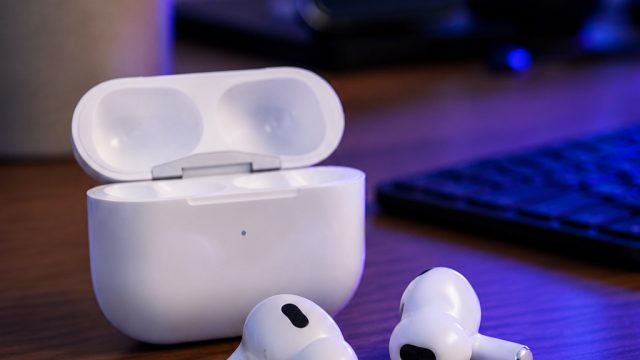
The launch of the AirPods Pro 3 has taken the audio experience to a new height, blending advanced technology with user-friendly features. Whether you are a tech enthusiast or a casual user, understanding the various settings and tools available can significantly enhance your listening experience. Explore these must-know features that every AirPods Pro 3 user should familiarize themselves with, especially in today's fast-paced technological landscape.
1. Adaptive Transparency Mode
One of the standout features of the AirPods Pro 3 is the Adaptive Transparency mode. This setting allows users to remain connected to their surroundings while enjoying high-quality sound. It automatically adjusts the level of ambient noise, ensuring that you can be aware of your environment without compromising on sound quality.
Why It Matters Now
In a world where being aware of your surroundings is crucial, especially in busy urban environments or during outdoor activities, Adaptive Transparency mode empowers users to enjoy their music or podcasts while still being present. The demand for such technology has surged, making it a vital feature for all users.
2. Personalized Spatial Audio
Spatial audio has revolutionized how we experience sound, and the AirPods Pro 3 takes this to the next level with personalized spatial audio. This feature uses dynamic head tracking to deliver an immersive multi-dimensional audio experience.
Setting Up Spatial Audio
- Open the Settings app on your iPhone.
- Navigate to Bluetooth and select your AirPods Pro 3.
- Enable Spatial Audio and follow the on-screen instructions to personalize.
This feature not only elevates the experience of movies and music but is also essential for those who engage in gaming or virtual reality, making it relevant in today's entertainment-driven market.
3. Touch Controls Customization
The AirPods Pro 3 offers users the flexibility to customize touch controls, making it easier to manage audio playback, take calls, or activate Siri with a simple tap or squeeze. This personalization ensures that the device fits seamlessly into your daily routine.
How to Customize Touch Controls
- Go to Settings, then Bluetooth.
- Tap the info icon next to your AirPods Pro 3.
- Select Left or Right to customize the functions.
This convenience is especially important for users on the go or during multitasking, allowing them to enjoy hands-free control without interrupting their activities.
4. Noise Cancellation Features
The AirPods Pro 3 features advanced noise cancellation technology, which is perfect for those who frequently travel or work in noisy environments. By blocking out external sounds, users can immerse themselves fully in their music or calls.
Maximizing Noise Cancellation
- Ensure a proper fit by using the ear tip fit test available in the settings.
- Switch between Active Noise Cancellation and Transparency mode based on your needs.
With many people seeking solace in music or podcasts amidst the chaos of daily life, this feature is increasingly sought after and relevant today.
Conclusion
As technology continues to advance, the features of devices like the AirPods Pro 3 play a critical role in enhancing user experience. Understanding and utilizing these essential settings can not only improve audio quality but also enrich your overall interaction with the device. Whether it's enjoying a podcast, making calls, or simply tuning into your favorite playlist, these features ensure that you remain connected and engaged. Dive into your AirPods Pro 3 today and explore what it truly has to offer!
